EntraID provides methods for administrators to enable end users to manage and reset their passwords utilizing Microsoft cloud services. This feature is known as Self Service Password Reset.
Users may begin the password reset process by directly accessing the password reset URL. Microsoft Online Password Reset
The password reset process starts by requesting the user provide their sign on name and complete a character validation.
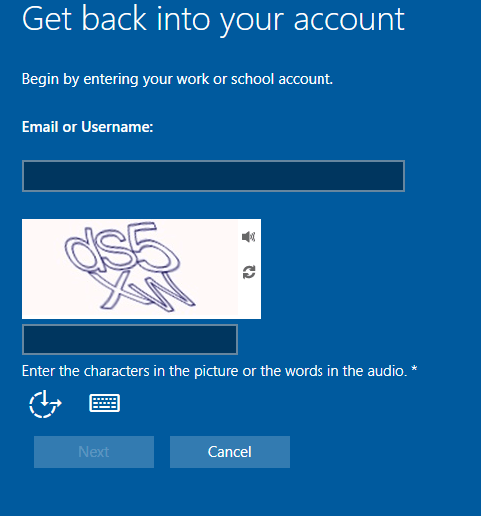
When the form is completed the next button allows the user to proceed with the process. If the account is valid, enabled for self-service password reset, and meets the authentication methods requirements for the feature the process will continue. If for some reason the users account information cannot be validated, for example they are not enabled for self-service password reset or the user has not proofed up authentication methods that would allow for self-service password reset, the following screen is displayed.
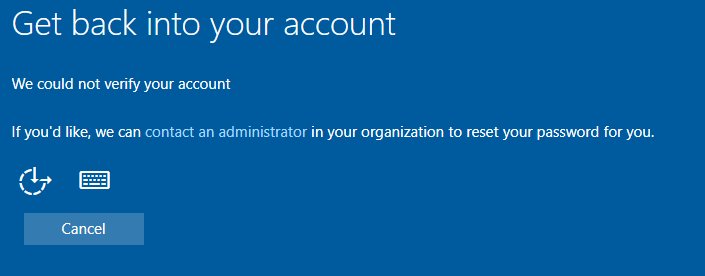
In this dialog the user has the option to “contact an administrator”. When this option is selected the process concludes with the following dialog.
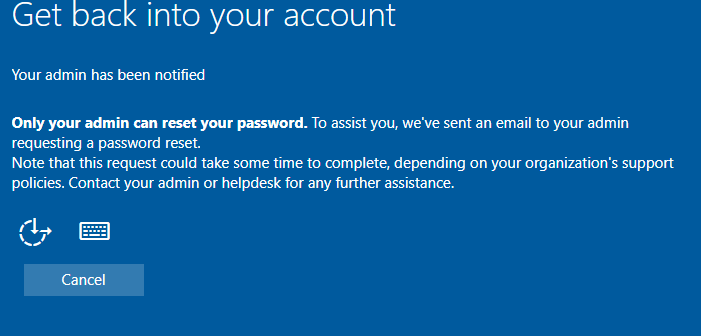
When this option is selected, an email is generated to administrators of the tenant informing them of the request to reset the password. On the surface this email looks highly suspicous.
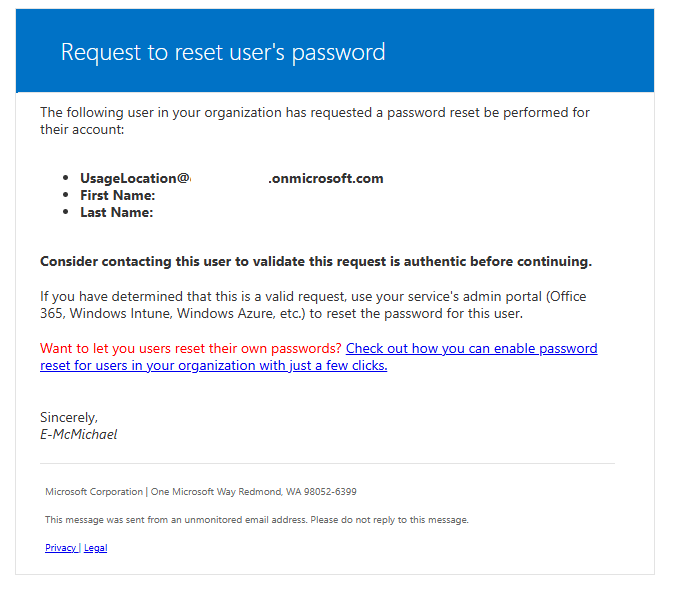
When the email is received by administrators there are often questions regarding the validity and authenticity. Here are some methods to review the email for ligitimacy.
Review the message header for basic antispam evaluation. For example, errors in the SPF record evaluation or DKIM signing of the message.
| 4 | Authentication-Results | spf=pass (sender IP is 40.93.12.1) smtp.mailfrom=microsoftonline.com; dkim=pass (signature was verified) header.d=microsoftonline.com;dmarc=pass action=none header.from=microsoftonline.com;compauth=pass reason=100 |
See Anti-spam message headers in Microsoft 365 for more information on interpreting message headers in Microsoft 365.
The EntraID audit logs for the user account may also shed light into the validity of this email. When a user enters the password reset process, if the username is valid, entries are generated in the EntraID audit log.

This entry provides information that the user entered the flow and provided a user name.
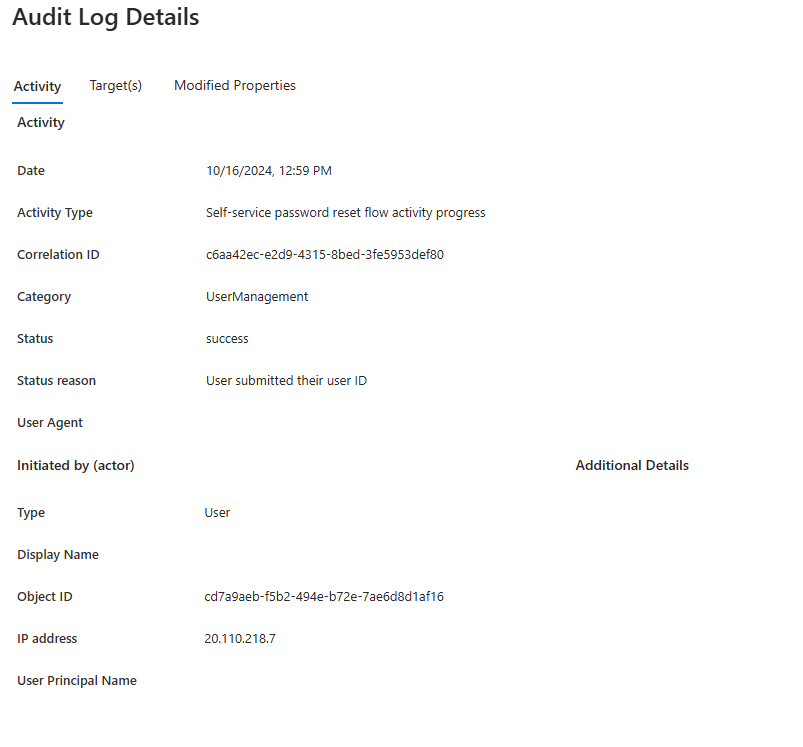
| Date | 10/16/2024, 12:59 PM |
| Activity Type | Self-service password reset flow activity progress |
| Correlation ID | c6aa42ec-e2d9-4315-8bed-3fe5953def80 |
| Category | UserManagement |
| Status | success |
| Status reason | User submitted their user ID |
| User Agent | |
| Type | User |
| Display Name | |
| Object ID | cd7a9aeb-f5b2-494e-b72e-7ae6d8d1af16 |
| IP address | 20.110.218.7 |
| User Principal Name | UPN |
The next event in the audit log shows the source of the contact administrator dialog. In this case the user account had insufficient authentication methods to allow the user to perform their own reset. There could be other failure categories here that lead to the contact administrator dialog – this is just one.
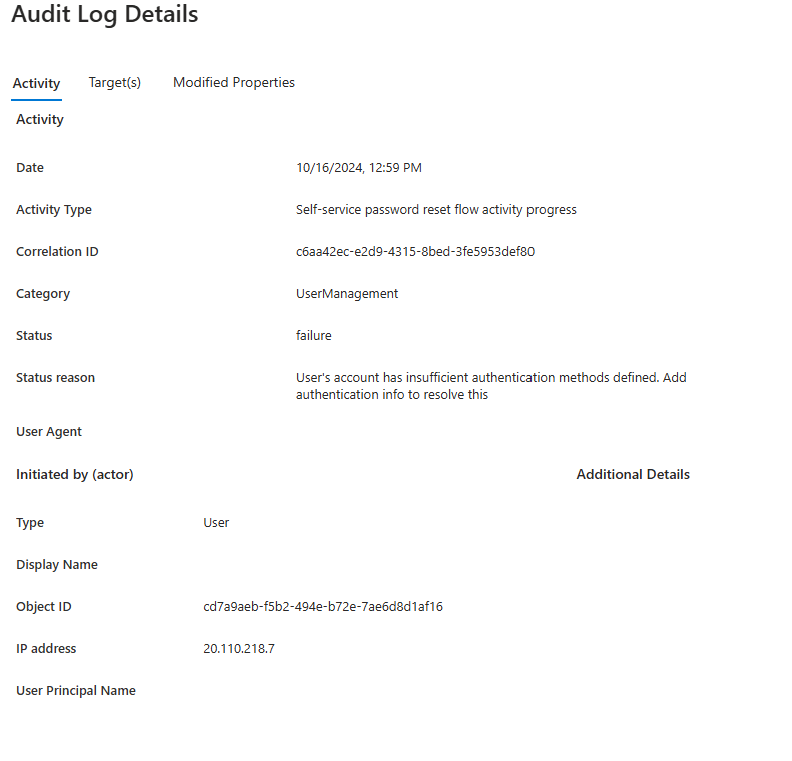
| Date | 10/16/2024, 12:59 PM |
| Activity Type | Self-service password reset flow activity progress |
| Correlation ID | c6aa42ec-e2d9-4315-8bed-3fe5953def80 |
| Category | UserManagement |
| Status | failure |
| Status reason | User’s account has insufficient authentication methods defined. Add authentication info to resolve this |
| User Agent | |
| Type | User |
| Display Name | |
| Object ID | cd7a9aeb-f5b2-494e-b72e-7ae6d8d1af16 |
| IP address | 20.110.218.7 |
| User Principal Name | UPN |
The audit log information should be helpful in determining not only if the email received is legitimate but also if the end user themselves triggered the password reset workflow.
If the information in the audit log and the message header checks out the legitimacy of the message maybe verified.
==================
Entire email contents below for parsing.
==================
Request to reset user’s password
The following user in your organization has requested a password reset be performed for their account:
- UsageLocation@domain.onmicrosoft.com
- First Name:
- Last Name:
Consider contacting this user to validate this request is authentic before continuing.
If you have determined that this is a valid request, use your service’s admin portal (Office 365, Windows Intune, Windows Azure, etc.) to reset the password for this user.
Want to let you users reset their own passwords? Check out how you can enable password reset for users in your organization with just a few clicks.
Sincerely,
E-McMichael
==================
 TIMMCMIC