Microsoft 365 Groups is a modern group type designed to enable collaboration across multiple Microsoft 365 platforms. Microsoft 365 Groups maybe provisioned in multiple administrative interfaces and in some cases created by end users themselves.
For more information on Microsoft 365 Groups follow this link.
Entra roles may be assigned to Microsoft 365 Groups to provide permissions and management rights. When planning to assign roles to Microsoft 365 Groups the interface or method that the group is created dictates if the group may be assigned roles.
In order to a Microsoft 365 Group to be assigned Entra roles there are two pre-requisites that must exist:
- The group must be created in an interface that supports enabling the role assignment flag.
- The group must also have the security flag enabled.
When utilizing the EntraID portal to create a Microsoft 365 Group there is an option presented to enable Entra role assignment.
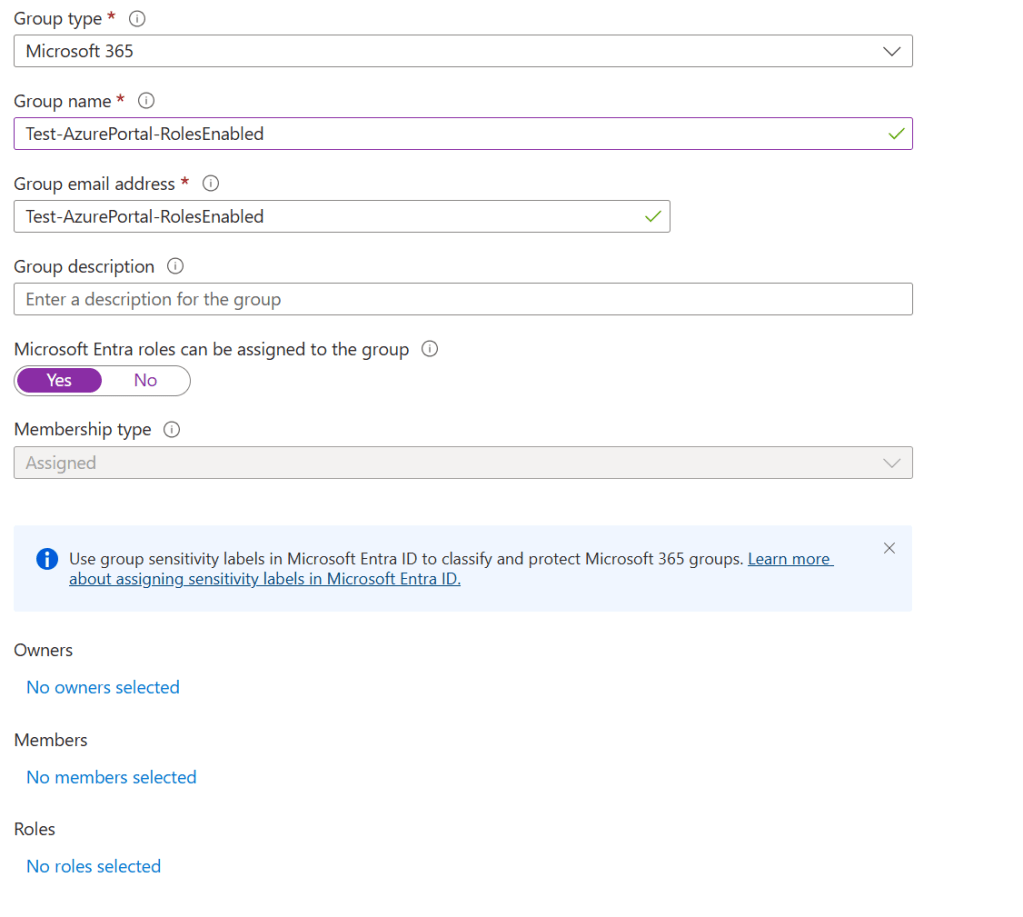
When the “Microsoft Entra roles can be assigned to this group” option is enabled the Roles dialog appears at the lower portion of the group creation window. Evaluating this setting at group creation is important as the setting is immutable. Once the flag is either set to Yes or No it cannot be changed after group creation.

For more information on Entra role assignments and groups see the following documentation.
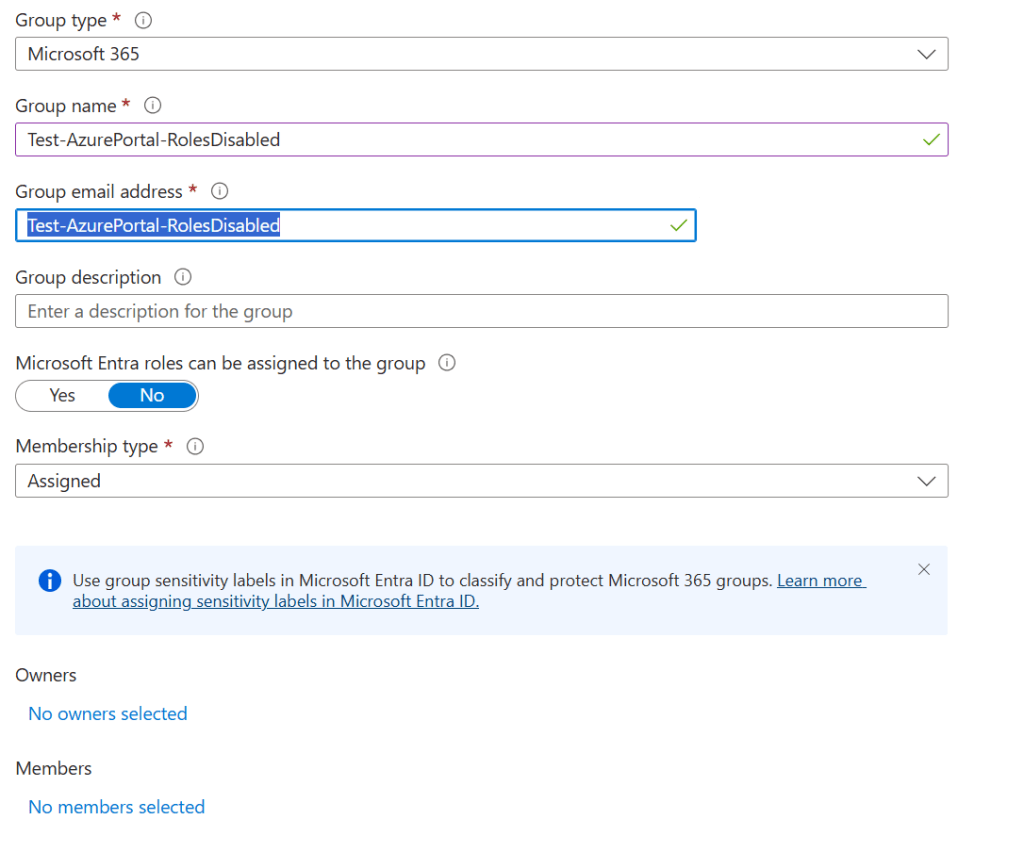
If the Microsoft 365 Group is created without the role assignment option an additional confirmation dialog is not present and the roles option does not appear.
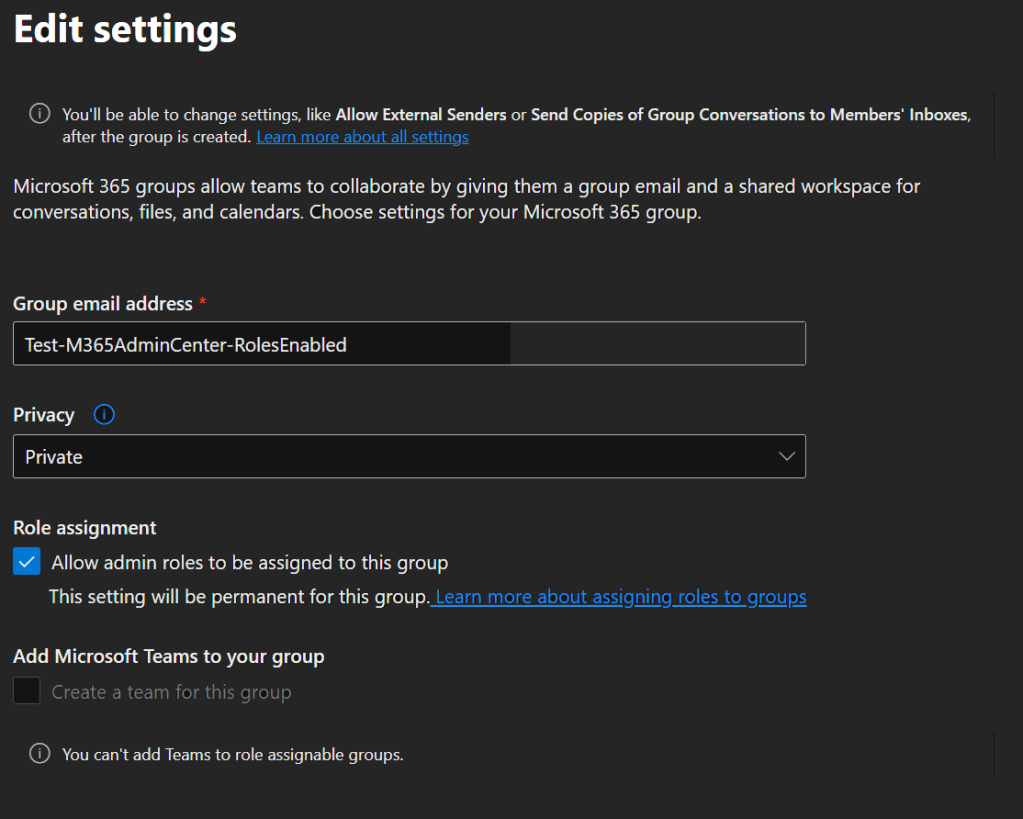
Microsoft 365 Groups can be created across multiple Microsoft 365 administration interfaces including the M365 Admin Center and Exchange Online. The option to enable the group for role assignment is present but only enabled if the group privacy setting is set to “Private”
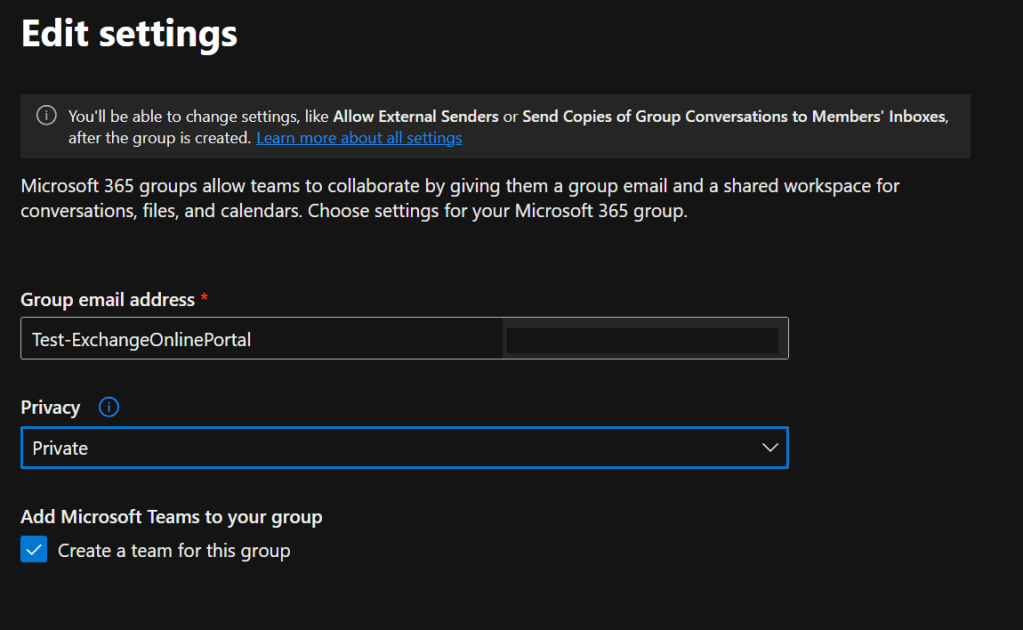
In the Exchange Online Admin Center when creating a Microsoft 365 Group there is no role assignment flag.
Is there a programmatic way of determining if a group is eligible for role assignments? Using the Microsoft Graph get-MGGroup command we can review the flags that are necessary to determine if a group is eligible for a role assignment.
DisplayName                        IsAssignableToRole SecurityEnabled
-----------                        ------------------ ---------------
Test-M365AdminCenter-RolesEnabled                True            True
Test-M365AdminCenter-RolesDisabled              False           False
Test-AzurePortal-RolesEnabled                    True            True
Test-ExchangeOnlinePortal                       False           False
Test-AzurePortal-RolesDisabled                                   True
When a Microsoft 365 group is eligible for role assignment the IsAssignableToRole flag and SecurityEnabled flag are set to TRUE. When a group is not eligible for role assignment the IsAssignableToRole is either False or NULL.
It is important that when creating Microsoft 365 groups where the desire to assign roles is required that an administrative interface supporting group role assignment is utilized and the option enabled at group creation.
 TIMMCMIC