Microsoft offers a variety of consumer services that end users may sign up for. For example, Xbox accounts, personal OneDrive accounts, and personal office subscriptions. Users may elect to create an account using a Microsoft owned domain (live.com / outlook.com) or through another domain (gmail.com, etc).
At one time it was possible for users to utilize addresses that were also registered in Office 365. This would essentially allow a user to take their corporate email address and utilize it as an account both in our commercial services and our consumer services. This ability is now blocked once a domain has been added and registered to an Office 365 tenant.
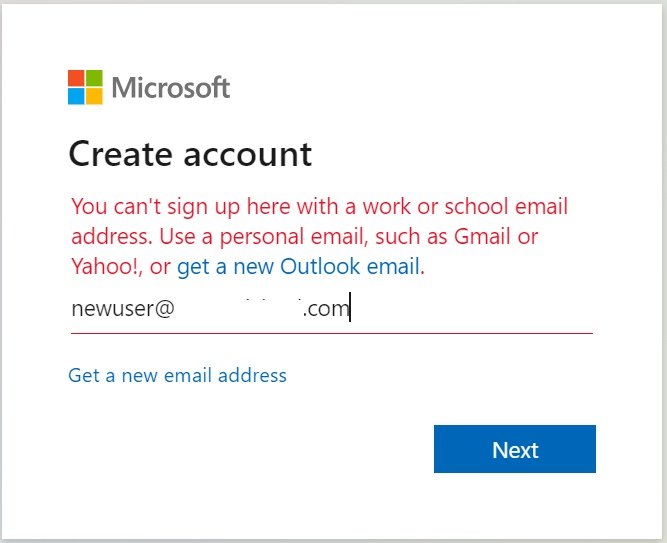
If a user has both an Office 365 and consumer account registered to the same address this generally means:
- The user established the account prior to when the domain was registered in Office 365.
- The user established the account prior to the block demonstrated above.
In recent weeks I have spoked with several customers that have raised escalations regarding “Microsoft Account Unusual Sign-in Activity”. In each of these cases the user received an email to their Office 365 email address indicating that unusual sign on activity occurred. When administrators of the tenant were engaged, they were unable to locate any evidence of abnormal sign-ons. The emails originate from “account-security-noreply@accountprotection.microsoft.com” and are addressed to the Office 365 recipient.
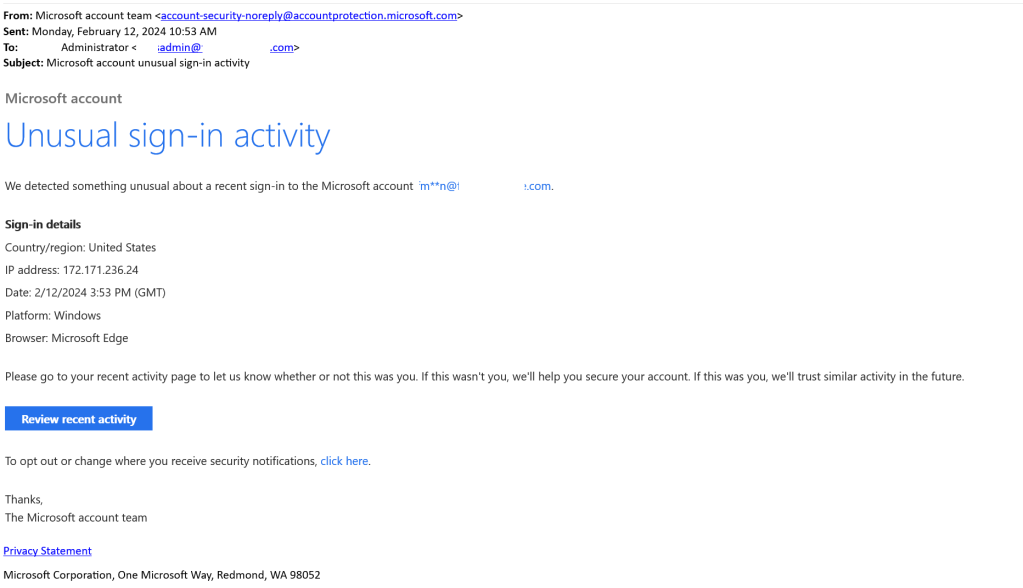
In most cases the email address in the TO: line also matches the email address that is obscured.
When examining the email there are some methods to determine that this event is related to a consumer account. The first method involves reviewing the links contained in the email. In this case there are two links and in each case the links point to accessing consumer services:
- “Review Recent Activity” https://account.microsoft.com/activity when selected redirects the user to login.live.com. This is the authentication portal for consumer services.
- The second URL for managing security notifications redirects users to https://account.live.com/securitynotifications/update. This is the consumer account management portal.
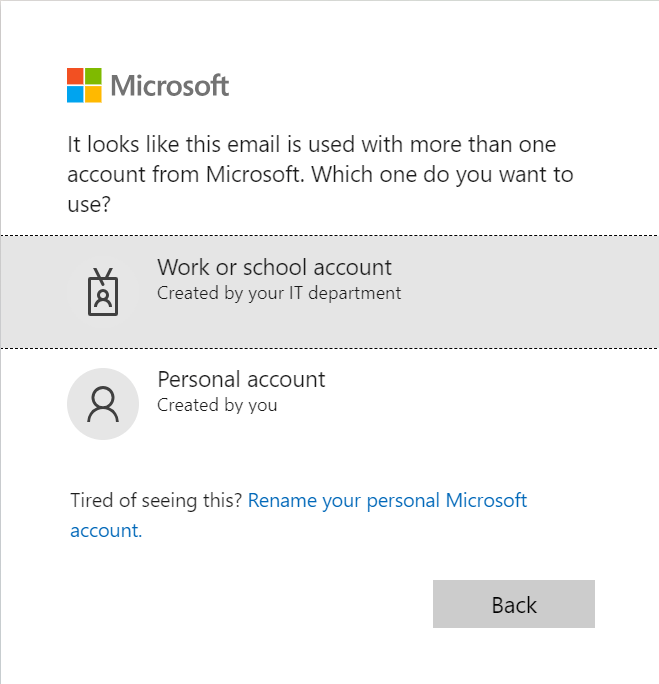
Another easy method of confirming if the user has both an Office 365 and consumer account is to launch a browser in in-private mode. Access https://portal.office.com and specify the account email address. If the user is prompted to access either a “Work or School” and a “Personal Account” the user has both.
The last method of verify that a user has both an Office 365 account and a personal account is for administrators to utilize Powershell and our identity tools module. The command has the ability to extract for administrators the presence of a consumer account associated with an Office 365 identity.
Install-Module -Name MSIdentityTools
Get-MsIdHasMicrosoftAccount -Mail "use@e-domain.com"


True
In this case the return value of TRUE confirms that the user has a consumer identity.
The user that owns the consumer account should be advised to access the account and review the sign on activity. Administrators may also recommend that the user disassociate their corporate identity from the consumer account using the following instructions: Change the email address or phone number for your Microsoft account (Opens in new window or tab)
Administrators may also find the following information helpful regarding commercial and consumer account overlap.
 TIMMCMIC