The Microsoft 365 Administration Center allows administrators to manage domains. Administrators also have the ability to move DNS namespace hosting to Microsoft 365 allowing for the creation of DNS records for external name resolution.
The onmicrosoft.com domain is automatically enabled for DNS records management in the M365 admin center. Navigating to settings, domains, and selecting the onmicrosoft.com domain accesses the properties of the domain. Selecting the DNS records option provides the management interface for creating and deleting DNS records.
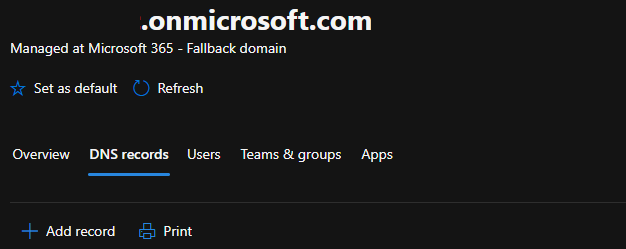
The M365 Admin centers DNS records management for onmicrosoft.com domains only allow the addition of txt record types.
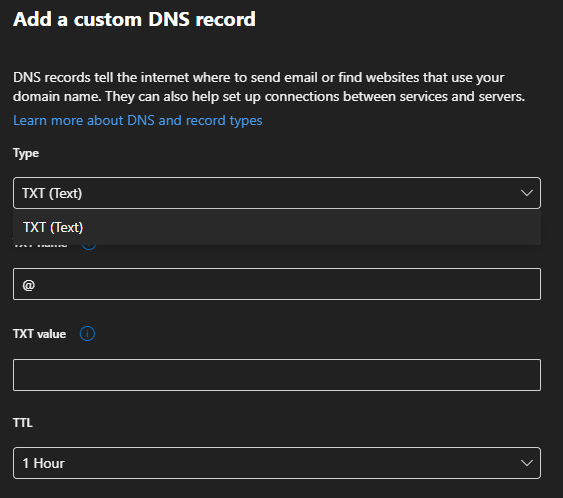
When creating a txt record in the onmicrosoft.com domain, not all txt record types are supported. If you attempt to add a txt record which is blocked for use on the onmicrosoft.com domain the following error is displayed:

“You cannot manage this record for the initial domain or one of its subdomains.”
The above error confirms that the value you are attempting to add for the text record is blocked. If a record is blocked, and is required for use with a third-party service, the third party may need to change the value of that record in order to integrate with Microsoft 365 services.

