As customers stop deploying Exchange on premises installations recipients are being provisioned without enabling a remote mailbox. A common scenario that I see is where administrators create users but only stamp the windows mail property on the object.
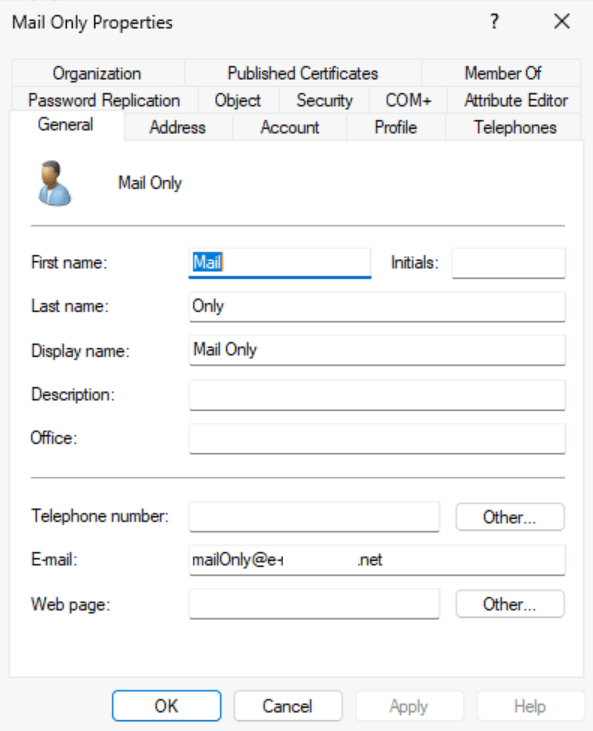
When an initial synchronization of this user occurs to Entra Active Directory and then Exchange Online the user is not mail enabled. As with all user object synchronized it is represented in Exchange Online as a user.
PS C:\> Get-User mailonly@e-domain.net


Name                                 RecipientType

----                                 -------------

eed81dfa-2492-4a9d-a757-d06f4e1d92d7 User
PS C:\> Get-Recipient mailonly@e-domain.net
Write-ErrorMessage : Ex6F9304|Microsoft.Exchange.Configuration.Tasks.ManagementObjectNotFoundException|The operation
couldn't be performed because object 'mailonly@e-domain.net' couldn't be found on
'CY4PR04A10DC003.NAMPR04A010.PROD.OUTLOOK.COM'.
At C:\Users\timmcmic\AppData\Local\Temp\tmpEXO_py0m5z5k.qxt\tmpEXO_py0m5z5k.qxt.psm1:1192 char:13
+ Write-ErrorMessage $ErrorObject
+ ~~~~~~~~~~~~~~~~~~~~~~~~~~~~~~~
+ CategoryInfo : NotSpecified: (:) [Get-Recipient], ManagementObjectNotFoundException
+ FullyQualifiedErrorId : [Server=SJ0PR04MB8325,RequestId=0bf40c30-2584-9980-e501-7659b045e73a,TimeStamp=Tue, 30 J
an 2024 20:36:37 GMT],Write-ErrorMessageTo mail enable the object a license is required that contains an Exchange Online plan. When the license is assigned, the object will be converted from USER to USERMAILBOX. This is confirmed when get-recipient returns a valid user mailbox.
PS C:\> Get-Recipient mailonly@e-domain.net


Name                                 RecipientType

----                                 -------------

eed81dfa-2492-4a9d-a757-d06f4e1d92d7 UserMailbox
The primary smtp address on the object reflects the mail attribute set in Active Directory.
PS C:\> Get-Recipient mailonly@e-mcmichael.net | fl primarySMTPAddress,emailAddresses


PrimarySmtpAddress : mailOnly@e-domain.net

EmailAddresses     : {SMTP:mailOnly@e-domain.net, smtp:mailOnly@timmcmic.domain.com,

                     SIP:mailonly@e-domain.net}
To change the primary SMTP address of the user the mail attribute may be adjusted in Active Directory. In this case the domain is changed from .net to .com.
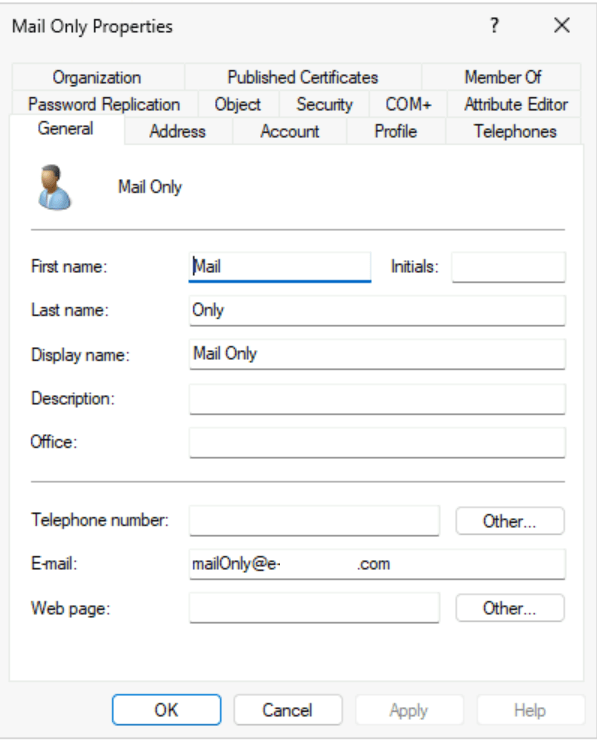
When the change successfully replicates to Entra Active Directory and then Exchange Online the primary smtp address of the user will be updated to reflect this change.
PS C:\> Get-Recipient mailonly@e-domain.net | fl primarySMTPAddress,emailAddresses


PrimarySmtpAddress : mailOnly@e-domain.com

EmailAddresses     : {SMTP:mailOnly@e-domain.com, smtp:MailOnly@e-domain.net,

                     smtp:mailOnly@domain.onmicrosoft.com, SIP:mailonly@e-domain.net}
In recent weeks I have spoken with some customers that have opened support cases where updates to the mail attribute is not resulting in a change in Exchange Online. In this example the mail attribute was updated to a completely different address.
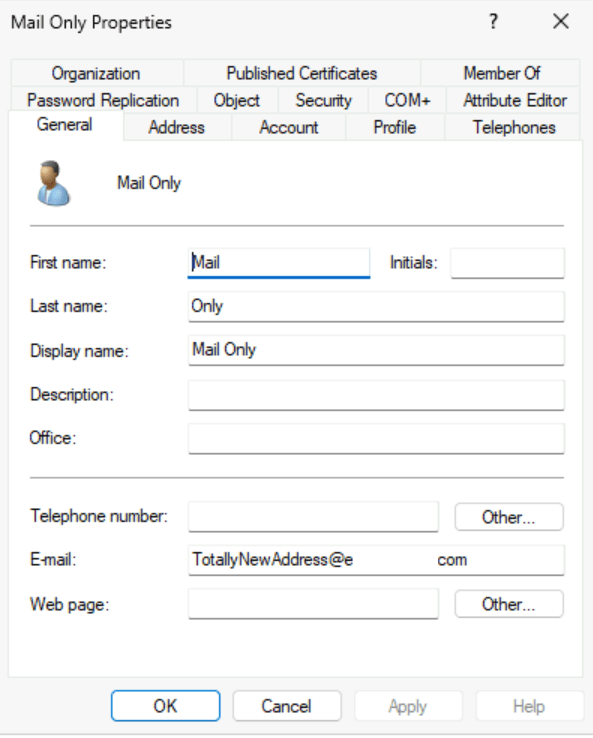
We were able to confirm that the mail address was successfully replicated to Entra Active Directory by Entra Connect. When waiting several hours, it was observed the address did not change in Exchange Online.
PS C:\> Get-Recipient mailonly@e-domain.net | fl primarySMTPAddress,emailAddresses


PrimarySmtpAddress : MailOnly@e-domain.net

EmailAddresses     : {SMTP:MailOnly@e-domain.net, smtp:mailOnly@domain.onmicrosoft.com,

                     SIP:mailonly@e-domain.net}
Why did the address not change? When reviewing the properties of the object in Active Directory it was noted that these users had the proxyAddresses attribute stamped.
Get-ADObject "CN=Mail Only,OU=Users,OU=Objects,DC=home,DC=e-domain,DC=com" -Properties Mail,ProxyAddresses


DistinguishedName : CN=Mail Only,OU=Users,OU=Objects,DC=home,DC=e-domain,DC=com

Mail              : TotallyNewAddress@e-domain.com

Name              : Mail Only

ObjectClass       : user

ObjectGUID        : f0bc7fcd-a31e-4f7a-9c71-be9d948c3f6d

ProxyAddresses    : {x500:/o=ExchangeLabs/ou=Exchange Administrative Group

                    (FYDIBOHF23SPDLT)/cn=Recipients/cn=233c7693141f41d2b6ad1a2e24a5bf63-eed81dfa-24}
If the objects in Active Directory are not fully mail enabled, then why is the proxyAddresses populated? When a license is assigned to an object that had only a mail address set an X500 address is generated in Exchange Online. In this installation the Entra Connect configuration had Exchange Hybrid enabled. With this feature enabled the X500 address from Exchange Online is written to Active Directory. Once the proxyAddresses attribute is present on the object this is the attribute that controls the addresses that will be utilized for proxy calc in Entra Active Directory and then subsequently synchronized into Exchange Online.
For users that had a proxyAddress field stamped this attribute will need to be adjusted in Active Directory in order for the address change to occur in Exchange Online.
Get-ADObject "CN=Mail Only,OU=Users,OU=Objects,DC=home,DC=e-domain,DC=com" -Properties Mail,ProxyAddresses


DistinguishedName : CN=Mail Only,OU=Users,OU=Objects,DC=home,DC=e-domain,DC=com

Mail              : TotallyNewAddress@e-mcmichael.com

Name              : Mail Only

ObjectClass       : user

ObjectGUID        : f0bc7fcd-a31e-4f7a-9c71-be9d948c3f6d

ProxyAddresses    : {SMTP:totallyDifferentAddress@e-domain.com, x500:/o=ExchangeLabs/ou=Exchange Administrative

                    Group (FYDIBOHF23SPDLT)/cn=Recipients/cn=233c7693141f41d2b6ad1a2e24a5bf63-eed81dfa-24}
The get-recipient command verifies that the attribute updated successfully.
PS C:\> Get-Recipient mailonly@e-domain.net | fl primarySMTPAddress,emailAddresses


PrimarySmtpAddress : totallyDifferentAddress@e-domain.com

EmailAddresses     : {SMTP:totallyDifferentAddress@e-domain.com, smtp:MailOnly@e-mcmichael.net,

                     smtp:mailOnly@domain.onmicrosoft.com, SIP:mailonly@e-domain.net}
If the Exchange Hybrid feature remains enabled in Entra Connect you can expect to have to continue to modify the proxyAddresses attribute if address changes are necessary. If your provisioning model does not include fully mail enabled objects, you might consider disabling the Exchange Hybrid feature in Entra Connect. Disabling this feature will not impact users that already have the proxyAddresses attribute set but it will impact new objects where Exchange Online licenses are assigned.
 TIMMCMIC