In Azure Active Directory users of Office 365 may be required to enroll in multi-factor authentication and self service password reset. During an interactive logon request users will be prompted to enter the enrollment and configuration process.
I recently worked with a customer where a user that was fully enrolled in multi-factor authentication was receiving the dialog “More Information Required” and “Your organization needs more information to keep your account secure.”
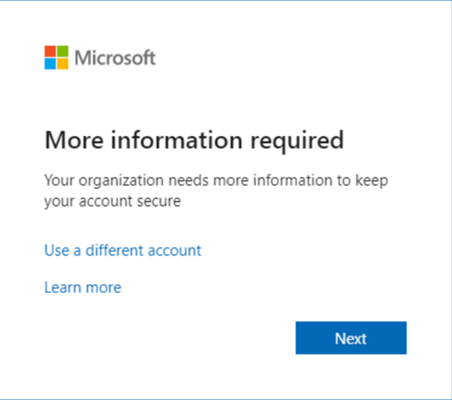
When selecting the next option, the user was prompted with the following dialog. “Additional authentication is required to complete this sign-in.”
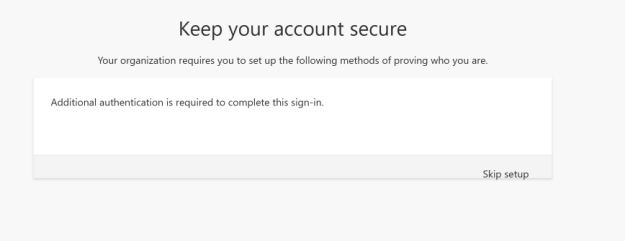
This screen is fairly familiar as it is usually seen when performing combined registration for new users enabling multi-factor authentication and self-service password reset. What is odd about this dialog is that it is not presenting what options need to be enabled to complete security registration. The only option to proceed is skip setup. Skipping setup allows the user to authenticate successfully and access the service. If the user ends up in a loop at this stage selecting sign in with another account then selecting the same account already signed in will break this loop. The same dialog sequence is present on any interactive logon that occurs to Office 365.
On the surface there was nothing out of the ordinary with the account in question. The necessary security registrations were present to satisfy multi-factor authentication and the user was able to log in where MFA was required. The one item that did stand out was that the account did have administrator rights. If multi-factor authentication was not an issue the next logical place to review was self-service password reset.
When looking at the self-service password reset settings within the tenant this organization choose to disable SSPR for administrator accounts.
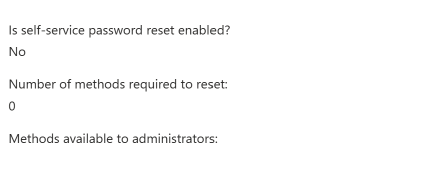
The SSPR policies were applied to all users.
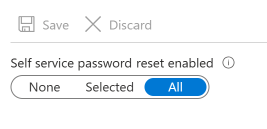
The prompt that is being displayed was due to the conflicting settings between the scope of SSPR application and administrators being excluded from the policy. When the administrator policy has been disabled the self-service password reset settings need to be changed to “selected” and applied to a group that does not include administrator accounts. The other method to mitigate this issue is to migrate from legacy per user MFA and self-service password reset to new authentication policies. The new authentication policies allow more fine-grained control of authentication methods and groups / users are applicable too. How to migrate to the Authentication methods policy – Microsoft Entra | Microsoft Learn
My suggestion in this case was to set up a custom attribute on administrator accounts. Using an Azure dynamic group all users where the custom attribute was not present were added to the group. This group was then selected for targeted self-service password reset application. This removed the all scope and excluded administrators from SSPR application.
 TIMMCMIC