How does the module track distribution lists that have been migrated?
Objects in Active Directory may have dependencies on the distribution list (DL) being migrated to Office 365. For example, the DL maybe a member of other groups, it may accept messages from other groups, or may be a manager of other groups. When the DL is migrated, the mail attributes of the group are removed, or the group is deleted. This requires a method to exist to create an object that could replace the mail enabled distribution list. The assumption is also made that other groups will continue to be migrated to Office 365.
To facilitate tracking of a migrated distribution list a mail contact is created in place of the distribution list. The mail contact is an intentional choice because it allows us to specify an external address for mail routing purposes, because it will not soft match to a migrated distribution group, and because it is not a security principal that could allow for an authentication object within the directory. A mail contact will also replicate to Office 365 and not compete with any of the existing objects. This allows non-migrated distribution groups to still contain migrated lists and maintain accurate mail flow.
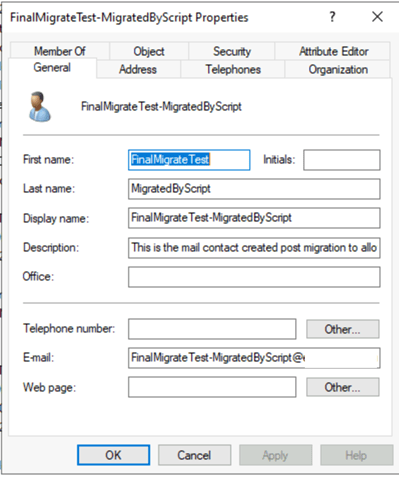
The mail contact is created with the name of the distribution list that was migrated plus the test MigratedByScript. There are two custom attributes that are specified. Custom attribute 1 is the text “MigratedByScript” and custom attribute 2 is the original SMTP address of the migrated distribution list. This is what allows the mail contact to act in place of the distribution list. The contact is also hidden from the address list.
Take the following example. The distribution list Parent has a member distribution list Child. Child is migrated to Office 365. The child group is replaced with the mail contact Child-MigratedByScript and added as a member of the Parent distribution group. The administrator runs a migration of the Parent list. When the mail contact Child is encountered, the script recognizes the custom attributes and determines that this was a group that was migrated. Instead of importing the email addresses associated with the mail contact, the script automatically substitutes the email address stored within Custom Attribute 2. When Parent is created in Office 365, the email address for Child is added as a member. The final outcome is that Parent is created with Child as a member.
In the case of a distribution list migration that does not use Exchange on-premises, the contact object created is not a fully mail enabled object. The custom attribute logic does not change. The contact in this case is created through ADSI.
If Exchange is used and hybrid mail flow is enabled, the mail contact is instrumental in enabling this. Hybrid mail flow will be covered in a future post.
Sample Mail Contact
 TIMMCMIC
Pingback: Office 365 – Distribution List Migration – Version 2.0 | TIMMCMIC
Pingback: Office 365 – Distribution List Migrations Version 2.0 – Part 26 | TIMMCMIC